
Why your Tanzania eVisa photo matters
The photo is one of the most important uploads in a Tanzania eVisa application. Immigration officers must be able to identify you clearly from the image. A blurry, dark, cropped, filtered, or incorrectly posed photo can delay review or lead to a request for a new file.
For best results, use a recent passport-style photo rather than a casual selfie. Your face should be clear, centered, and fully visible.
Important upload warning
Do not upload screenshots, social media photos, heavily edited photos, group photos, or images where your face is partly hidden. These are common reasons for Tanzania eVisa photo problems.
Tanzania eVisa photo requirements
| Requirement | Recommended standard | Why it matters |
|---|---|---|
| Photo style | Recent passport-style photo | Shows your identity clearly for visa review. |
| Size | Common passport photo format such as 35mm x 45mm | Fits standard visa-photo expectations. |
| Background | Plain white or light-colored background | Avoids distractions and improves facial recognition. |
| Face position | Face forward, centered, eyes open | Makes the image easy to compare with passport details. |
| Expression | Neutral expression, mouth closed | Matches typical passport-photo standards. |
| Lighting | Even lighting, no shadows or glare | Prevents dark or unclear facial features. |
| Accessories | No sunglasses, hats, or face coverings unless religious/medical and face visible | Ensures the face is fully identifiable. |
| File quality | Clear, sharp, not pixelated | Low-quality uploads can cause delays. |
Accepted Tanzania visa photo checklist
- Recent photo taken within the last 6 months.
- Plain white or light background.
- Face directly facing the camera.
- Eyes open and visible.
- Neutral expression.
- No strong shadows on face or background.
- No sunglasses or tinted glasses.
- No hat or head covering unless worn for religious or medical reasons.
- Head and shoulders visible.
- Image is sharp, clear, and not compressed too much.
Photos that may be rejected or delayed
Common rejected photo issues
- Blurry or pixelated image
- Dark lighting or harsh shadow
- Busy background
- Face turned sideways
- Smiling widely or open mouth
- Sunglasses or covered eyes
- Hat covering forehead
- Photo cropped too close
Upload mistakes
- Uploading a passport scan instead of a photo
- Uploading the wrong person’s photo
- Using a screenshot from a phone gallery
- Using a social media profile image
- Submitting a group or travel photo
- Using heavy filters or beauty effects
- Uploading a file that is too small to review
- Using an old photo that no longer matches you
Can you use a selfie for Tanzania eVisa?
A selfie is risky unless it looks like a proper passport photo. Many phone selfies have distortion, shadow, tilted angles, busy backgrounds, or poor cropping. If you must use a phone, ask someone else to take the picture from eye level against a plain wall with good lighting.
- Stand in front of a plain white or light wall.
- Face the camera directly.
- Use natural light or soft indoor lighting.
- Keep shoulders straight and head centered.
- Do not use filters, portrait blur, or beauty mode.
- Crop like a passport photo with head and shoulders visible.
Photo attire and accessories
Wear normal clothing that contrasts with the background. Avoid white shirts against a white background if the shoulders disappear. Religious head coverings are generally acceptable if the full face is visible from chin to forehead and from cheek to cheek.
- Wear simple, everyday clothing.
- Remove sunglasses or tinted glasses.
- Avoid uniforms unless required for official travel.
- Keep hair away from eyes.
- Make sure headwear does not cover the face.
Tanzania eVisa photo upload tips
Before uploading your photo, open it on your screen and check whether it is sharp and easy to identify. The application may allow several image formats, but the important part is that the photo is clear and readable.
- Use a clear digital image file.
- Rename the file simply, such as passport-photo.jpg.
- Do not upload a PDF unless the form specifically requests it.
- Check that the photo is not sideways or upside down.
- Make sure the face is not cropped off.
- Upload the photo in the correct field, not the passport field.
Photo examples for Tanzania eVisa pages
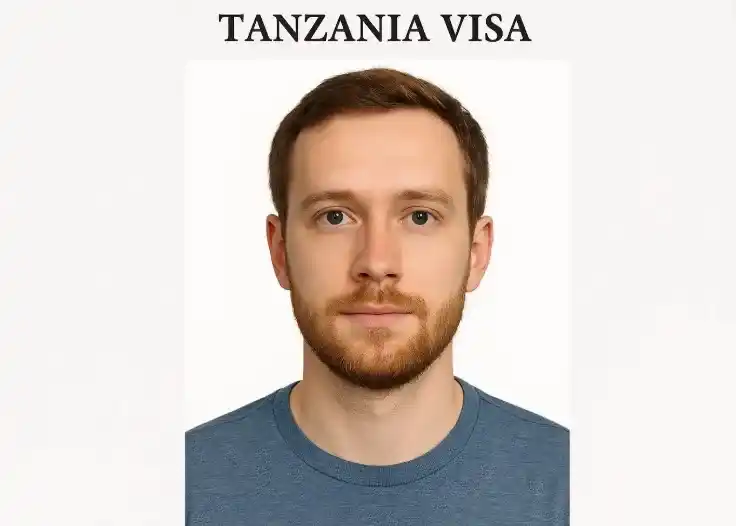
Passport photo sample
Use a clean passport-style photo with clear face visibility and plain background.
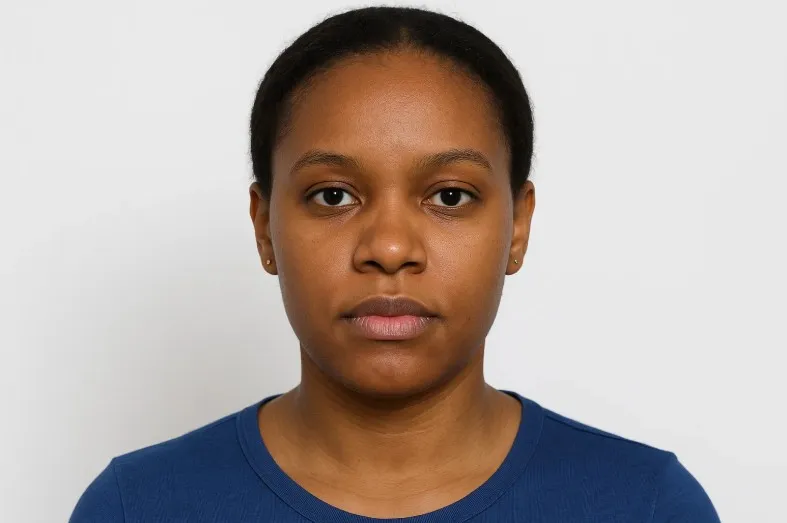
Pose and expression
Face forward, keep a neutral expression, and make sure the face is centered.
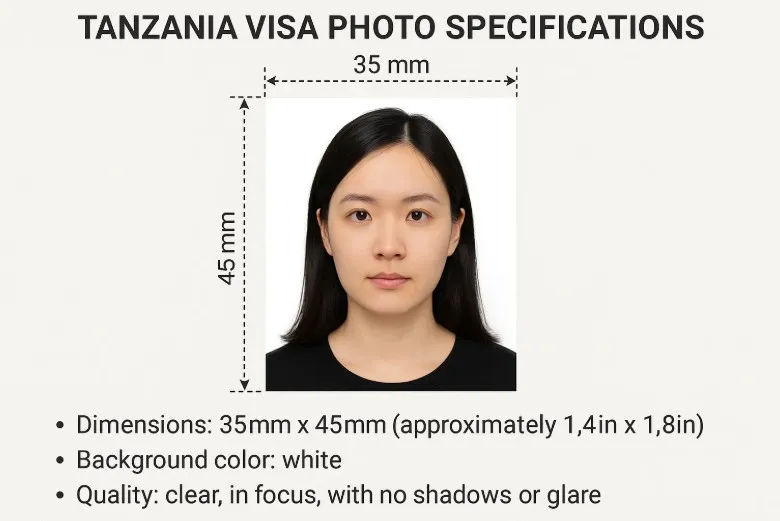
Photo dimensions
A passport-style format such as 35mm x 45mm is a common reference for visa photos.
Final Tanzania eVisa photo checklist
- Recent passport-style photo ready.
- Plain light background.
- Full face visible and centered.
- No sunglasses, filters, or busy background.
- Head and shoulders included.
- Image is sharp and not pixelated.
- File opens correctly before upload.
- Photo uploaded in the correct application field.